How to Upload or Change Your Profile Image in SimpliTrain
Adding or updating your profile image in SimpliTrain allows for a more personalized learning experience. Follow these simple steps to upload or change your profile picture.
Steps to Upload or Change Your Profile Image
- Access the User Profile Page
- Select your avatar in the top-right corner and choose “My Profile“.
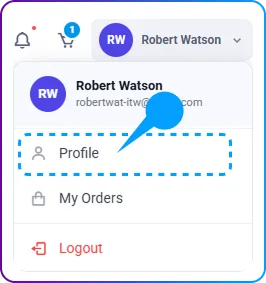
- This will take you to the My Profile page, where you can manage your profile settings.
- Select your avatar in the top-right corner and choose “My Profile“.
- Edit Your Profile
-
- Click on the Edit button to open the Edit Profile page.
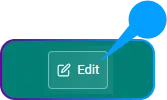
- Click on the Edit button to open the Edit Profile page.
- Upload a Profile Image
-
- Locate the Upload Profile Image section.
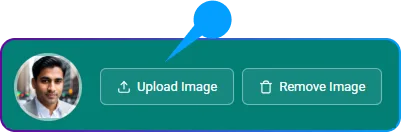
- Click on the Upload button and select an image from your device.
- Locate the Upload Profile Image section.
- Save the Changes
- Once you have selected the image, click on the Save button to update your profile picture.