How to Change the Language of Your Profile in SimpliTrain
SimpliTrain allows learners to customize their language preferences, ensuring a seamless user experience in their preferred language. Changing the language setting will update the entire application’s user interface (UI) to the selected language.
Steps to Change Your Language
- Access the User Detail Page
- Select your avatar in the top-right corner and choose “My Profile“.
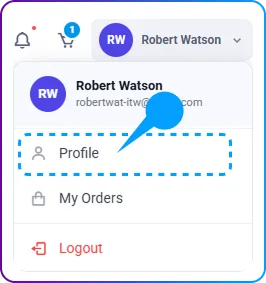
- This will take you to the My Profile page, where you can manage your profile settings.
- Select your avatar in the top-right corner and choose “My Profile“.
- Edit Your Language Preferences
- Click on the Edit button to access the Edit Profile page.
- Locate the Language section.
- Click on the Edit button to access the Edit Profile page.
- Select Your Preferred Language
- Open the dropdown menu and choose your desired language from the available options.
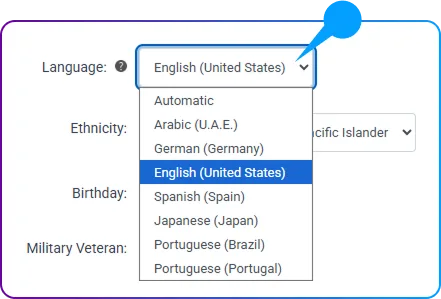
- Open the dropdown menu and choose your desired language from the available options.
- Save the Changes
- Click on the Save button to apply the new language settings.
- The system will update the application’s UI and communication content to reflect your chosen language.