How to Create a Club Membership in SimpliTrain
SimpliTrain provides the option to create club memberships for learners, which can be used for class enrollments, course enrollments and learning plans. Before creating a membership, ensure that a club is already set up for your center.
Steps to Create a Club Membership
- Navigate to the “Create Club Membership” Page

a. Go to Accounting > Memberships > Clubs & Memberships > Club Memberships and select “+ Create Club Membership“.
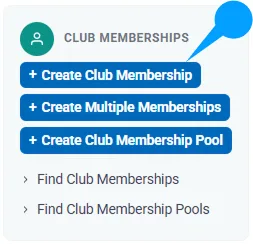
b. You will be redirected to the Create Club Membership page. - Select the Learner
In the Basic Information section, click on the Student Selection
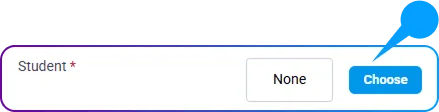
A popup window will appear. Search for and select the learner for whom you want to create the membership.
- Choose the Club
- Click on the Club Selection button to open the club selection popup.
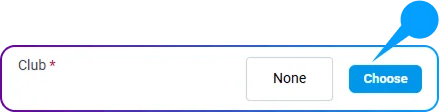
- Select a valid club from the list associated with your center.
- Click on the Club Selection button to open the club selection popup.
- Set Membership Dates
- Specify the Start Date and Expiry Date for the club membership.
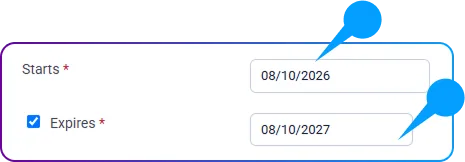
- Optionally, set a Target Completion Date for learning plans associated with the membership.

- Specify the Start Date and Expiry Date for the club membership.
- Select Payment Method
- Choose the appropriate payment method from the dropdown list.
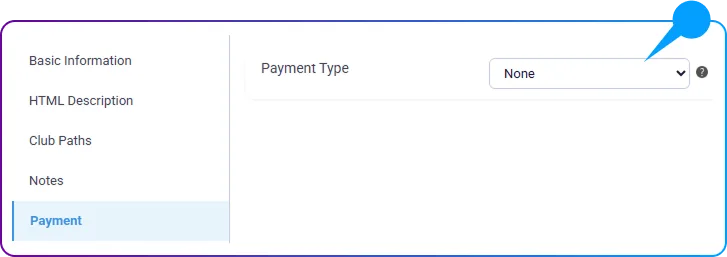
- Choose the appropriate payment method from the dropdown list.
- Save the Membership
- Click the Save button to finalize the creation of the club membership.