How to Download a Certificate in SimpliTrain
SimpliTrain allows learners to download certificates for completed Classes, Course Enrollments, Learning Plan Enrollments and Certifications. Follow the steps below to easily access and download your certificate.
Steps to Download a Certificate
- Navigate to the Transcript Page
-
- From the top navigation, select “My Transcript“.

- This will redirect you to the Transcript page.
- From the top navigation, select “My Transcript“.
- Locate the Completed Course or Class
- In the Transcript section, you will find a list of all the completed:
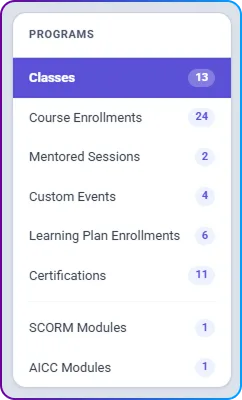
- Classes
- Course Enrollments
- Mentor Sessions
- Custom Events
- Learning Plan Enrollments
- Certifications
- SCORM Modules
- AICC Modules
- In the Transcript section, you will find a list of all the completed:
- Download the Certificate
- Look for the Certificate Icon next to the course or class name.
- Click on the icon to instantly download your certificate.