How to View the Transcript in SimpliTrain
The Transcript section in SimpliTrain provides a comprehensive record of all completed classes, course enrollments, learning plan enrollments and certifications. Learners can access their transcript at any time to review their progress and download certificates for completed training.
Steps to Access the Transcript
- Navigate to the Transcript Page
-
- From the top navigation, select “My Transcript“.

- From the top navigation, select “My Transcript“.
- View Completed Courses & Certifications
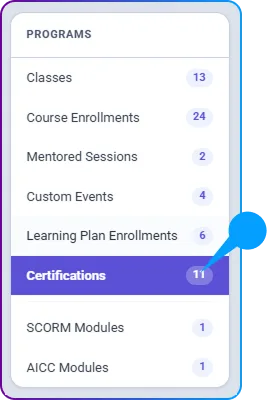
- This will redirect you to the Transcript page, where you can see a detailed list of:
- Classes
- Course Enrollments
- Mentored Sessions
- Custom Events
- Learning Plan Enrollments
- Certifications
- SCORM Modules
- AICC Modules
- This will redirect you to the Transcript page, where you can see a detailed list of:
- Download Certificates
- If a course or class includes a certificate, you can download it by clicking on the Certificate Icon displayed on the course/class tile.