How to Enroll Plans to Learners in SimpliTrain
The Learning Plan Enrollment feature in SimpliTrain allows organizations to assign specific learning plans to individual learners. Each learning plan enrollment is unique to a single learner, ensuring a personalized learning journey. Once a plan is assigned, it also serves as the method of payment when the learner enrolls in associated classes.
Steps to Assign a Plan to a Learner
- Navigate to the learning plan and click “Create Learning Plan Enrollment“, which opens the Create Learning Plan Enrollment page.
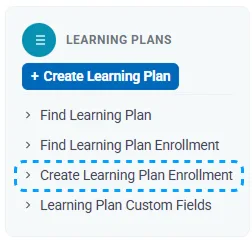
- Go to the desired plan and click the Create Plan Enrollment button.
- This action will redirect you to the Create Plan Enrollment page.
2. Select the Learner
- In the Basic Information section, click the Choose button.

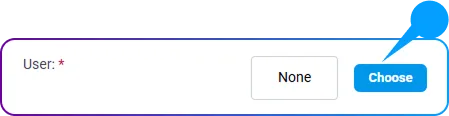
- A Learner Search pop-up window will appear.
- Search for and select the learner’s name from the list.
3. Set Plan Timelines
- Define the Start Date and Expiry Date for the plan.
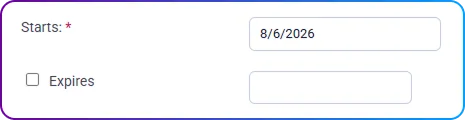
- Optionally, set a Target Completion Date to outline the learner’s expected timeline.

4. Set the Enrollment Status
- Choose the appropriate Status for the plan from the dropdown menu (e.g., Active, In Progress, or Completed).
5. Save the Enrollment
- click Save to finalize the learning plan enrollment.
Key Points to Note
- Personalized Enrollments: Each learning plan enrollment is tied to one learner, ensuring individual planning and progress management.
- Clear Timelines: Specifying start, expiry, and target completion dates helps learners stay on track with their plan and manage their goals effectively.
By following these steps, you can efficiently assign learning plans to your learners in SimpliTrain, enabling them to embark on their personalized educational journeys while maintaining clear timelines and accountability.